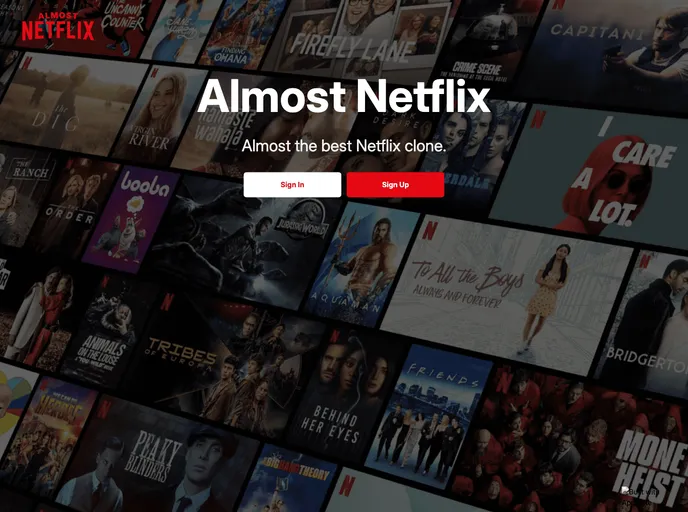
Demo Almost Netflix For Web screenshot

Demo Almost Netflix For Web

Author Avatar Theme by Appwrite
Updated: 19 Jan 2022
30 Stars

A Netflix clone built with @appwrite + @vuejs + @nuxt

Categories

Overview

The Almost Netflix project is a web banner that requires a pre-existing Appwrite instance with the Almost Netflix project ready. The application will be listening on port 3000 and can be accessed at http://localhost:3000.

Features

  • The project requires a pre-configured Appwrite instance.
  • The application can be accessed locally on port 3000.
  • Special directories such as assets, components, layouts, pages, plugins, static, and store are included.
  • The application uses Vue.js components for building the different parts of the page.
  • Layouts are available to change the look and feel of the app.
  • The store directory contains Vuex store files for state management.

Installation

To install and use the Almost Netflix project, follow these steps:

  1. Make sure you have an Appwrite instance with the Almost Netflix project ready.
  2. Update the Endpoint in the nuxt.config.js file, within the env object.
  3. Update the ProjectID in the services/appwrite.ts file, before exporting the AppwriteService object.
  4. Run the application, which will be listening on port 3000.
  5. Access the application at http://localhost:3000.

Summary

The Almost Netflix project is a web banner that requires a pre-configured Appwrite instance. It provides features such as the ability to customize the endpoint and project ID, as well as special directories for assets, components, layouts, pages, plugins, static, and store. The installation process involves updating configuration files and running the application locally.
