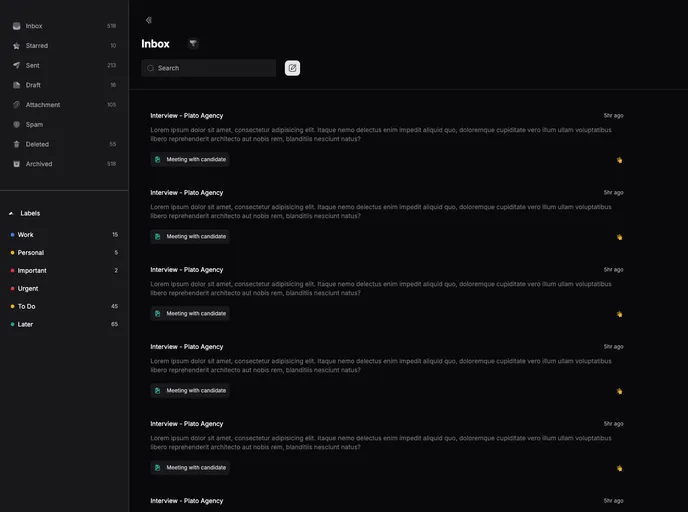
Email Dashboard created with Nuxt 3 + TailwindCSS
The Email Dashboard is a web application developed using Nuxt 3 and Tailwind CSS. It is designed to provide users with a visually appealing and user-friendly interface for managing their emails. The design of the dashboard is based on a Dribbble shot and is available for demo viewing. Additionally, a tutorial on how to create a similar dashboard can be found on YouTube.
To install the Email Dashboard, follow these steps:
git clone [repository URL]
cd email-dashboard
npm install
npm run dev
http://localhost:3000.The Email Dashboard is a visually appealing and user-friendly web application for managing emails. Built with Nuxt 3 and styled with Tailwind CSS, it offers a responsive design and improved performance. A demo of the dashboard is available, and a tutorial on creating a similar dashboard can be found on YouTube. To install the dashboard locally, simply clone the repository and follow the provided installation guide.

