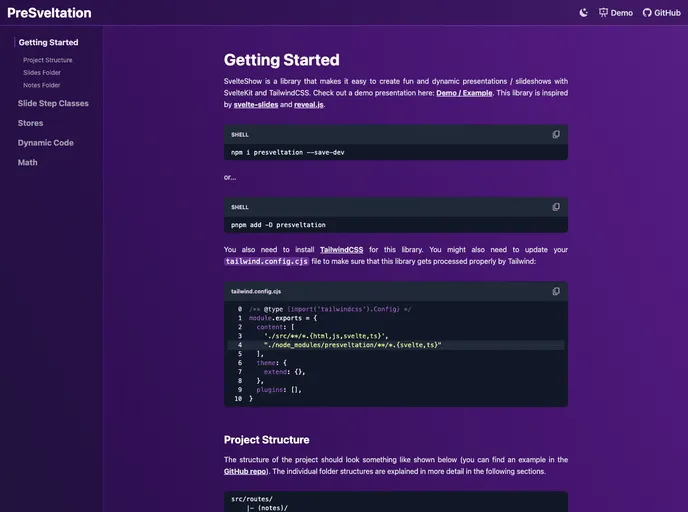
Presveltation screenshot

Presveltation

Author Avatar Theme by Bennymi
Updated: 12 Mar 2023
51 Stars

PreSveltation: Create fun, interactive, and dynamic presentations and slideshows with Svelte / SvelteKit and Tailwind CSS.

Categories

Overview

PreSveltation is a presentation and slideshow creation tool that allows users to create dynamic and interactive presentations using SvelteKit and Tailwind CSS. With a range of features and easy installation, PreSveltation is a versatile tool for creating engaging presentations.

Features

  • Speaker view / notes: PreSveltation includes a speaker view feature that allows presenters to view their notes while delivering the presentation.
  • Slide overview / table of contents menu: Users can easily navigate through their presentation using a slide overview or a table of contents menu.
  • Every page is a slide: Each page in the presentation functions as a slide, making it easy to create and manage content.
  • Arrow key navigation: Users can navigate through slides using the arrow keys, providing a seamless experience during presentations.
  • Transitions with Animate.css: PreSveltation allows users to add transitions to their slides using Animate.css, enhancing the visual appeal of the presentation.
  • Stepwise addition of Tailwind classes: Users can add Tailwind CSS classes step by step to their slides, giving them full control over the design and layout of each slide.
  • Code highlighting: With SvHighlight, users can add code snippets to their slides and highlight specific lines step by step, ensuring clear and effective code demonstrations.
  • Easy application of steps per slide: PreSveltation provides the option to easily apply steps per slide using maxStep and currStep stores, allowing users to control the flow and progression of their presentation.
  • Formulas using Katex: Users can add formulas to their slides using Katex, making it ideal for academic or technical presentations.

Installation

To install PreSveltation, follow these steps:

  1. Open your terminal and navigate to the directory where you want to set up the project.

  2. Run the following command to clone the PreSveltation repository:

    git clone <repository URL>
    
  3. Navigate into the cloned repository:

    cd PreSveltation
    
  4. Install the dependencies by running the following command:

    npm install
    
  5. Finally, start the development server by running:

    npm run dev
    

    You can now access PreSveltation by opening your browser and navigating to http://localhost:5000.

Summary

PreSveltation is a powerful presentation tool that leverages the capabilities of SvelteKit and Tailwind CSS to create interactive and dynamic presentations. With features such as speaker view, slide overview, and code highlighting, PreSveltation offers an enhanced presentation experience. Its easy installation process makes it accessible to users of all levels of expertise. Whether for academic, professional, or personal use, PreSveltation is a great choice for creating captivating presentations.
