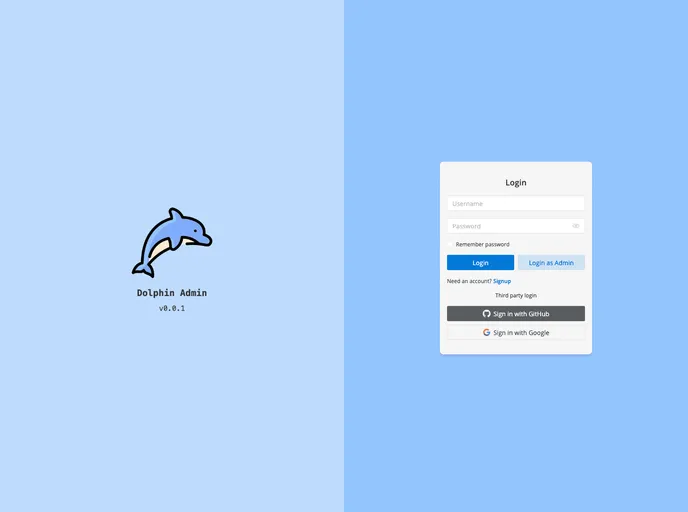
Dolphin Admin Vue is an open source, lightweight, out-of-the-box, elegant and exquisite, internationalized backend management template based on Vue 3 + Vite + Naive UI + TypeScript + TailwindCSS.
Overview
Dolphin Admin Web is an open-source, lightweight, and elegant backend management template based on Vue 3, Vite, Naive UI, TypeScript, TailwindCSS, and other technologies. It provides an out-of-the-box solution for managing and organizing the backend of web applications. It supports various functionalities like routing management, global state management, request handling, internationalization, data visualization, Excel file import and export, real-time communication, code checking and formatting, and more. Dolphin Admin Web also supports third-party logins and desktop application packaging.
Features
- Based on Vue 3, Vite: Dolphin Admin Web is built on the latest version of Vue and uses Vite as the development server.
- TypeScript: Dolphin Admin Web is written in TypeScript, providing type safety and enhanced tooling support.
- Naive UI: The template utilizes Naive UI, a UI library based on Vue 3, for building elegant and responsive user interfaces.
- TailwindCSS: Dolphin Admin Web incorporates TailwindCSS, a utility-first CSS framework, for easy and flexible styling.
- pnpm as package manager: Dolphin Admin Web uses pnpm as the package manager for efficient and fast dependency management.
- Sass as CSS preprocessor: The template utilizes Sass as the preprocessor for CSS, allowing for advanced styling options.
- Vue Router: Dolphin Admin Web integrates Vue Router for managing and handling client-side routing.
- Pinia: The template employs Pinia for global state management, enabling easy sharing and accessing of data across components.
- Axios: Dolphin Admin Web uses Axios for handling HTTP requests, providing a highly encapsulated and convenient API.
- iconify/json and unplugin-icons: The template offers icon management through the use of iconify/json and unplugin-icons, allowing for quick and easy integration of icons.
- unplugin-auto-import and unplugin-vue-components: Dolphin Admin Web includes unplugin-auto-import and unplugin-vue-components for automatic import of components, hooks, and utility classes, reducing manual efforts.
- vue-i18n: Dolphin Admin Web supports internationalization using vue-i18n, making it easier to create multi-language applications.
- ECharts: The template incorporates ECharts, a powerful data visualization library, for displaying and analyzing data in a visually appealing manner.
- xlsx: Dolphin Admin Web utilizes xlsx for Excel file import and export, allowing seamless integration with spreadsheet applications.
- Socket.IO: The template integrates Socket.IO for real-time communication, enabling instant updates and live collaboration features.
- ESLint: Dolphin Admin Web includes ESLint for code checking, ensuring code quality and adherence to best practices.
- Prettier: The template utilizes Prettier for code formatting, resulting in consistent and clean code styles.
- CSpell: Dolphin Admin Web includes CSpell for code spelling checking, helping to identify and correct spelling errors in code.
- Husky, lint-staged, commitlint, cz-git: The template provides Git commit management through the use of Husky, lint-staged, commitlint, and cz-git, ensuring consistent and standardized commit messages.
- taze: Dolphin Admin Web employs taze for dependency version management, making it easier to manage and update dependencies.
- Support absolute path import: The template supports absolute path import using @/, allowing for easier referencing of files and modules.
- Support third-party login: Dolphin Admin Web supports third-party login integration, enabling users to log in using platforms like GitHub or Google.
- Support desktop: The template offers support for desktop applications through the use of Tauri for packaging the web application as a standalone desktop application.
Installation
To install Dolphin Admin Web, follow these steps:
- Make sure you have Node.js installed on your machine with a version greater than or equal to 16.20.1.
- Install pnpm by running the following command in your command-line interface:
- Clone the Dolphin Admin Web repository to your local machine.
- Navigate to the cloned repository directory using the command-line interface.
- Install the project dependencies by running the following command:
- Configure the environment variables by creating a
.env file based on the provided .env.example file. - Modify the necessary information in the
README.md, LICENSE, package.json, .env, index.html, and /public/favicon.ico files according to your project requirements. - Build the development version of the web application by running the following command:
- After the build process is completed, you can access the web application by opening the generated
index.html file in your preferred web browser.
Summary
Overall, Dolphin Admin Web is a feature-rich and customizable backend management template based on modern web technologies. It provides a sleek and intuitive user interface along with a wide range of functionality to effectively manage and organize the backend of web applications. With its extensive list of features and ease of installation, Dolphin Admin Web offers a solid foundation for building robust and efficient backend systems.