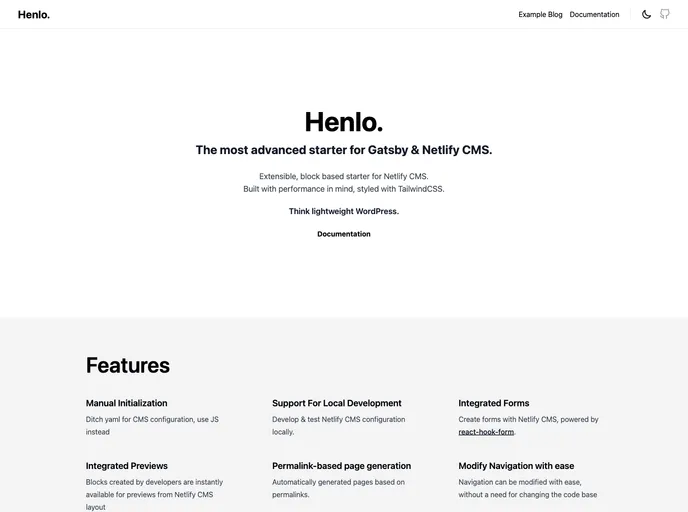
The most advanced starter for Gatsby & Decap CMS. Extensible, block based starter for Decap CMS. Built with performance in mind, styled with TailwindCSS.
Overview:
Gatsby Starter Henlo is a Netlify CMS starter for Gatsby.js that is built with a Page Builder setup in mind. It aims to provide the best developer experience and administrative user experience possible. It follows the JAMstack architecture and uses Git as a single source of truth and Netlify for continuous deployment and CDN distribution.
Features:
- Support for Gatsby v5
- Battle-tested starting point for small & large web projects
- Form Builder that enables Admins to create multiple forms with ease & Netlify Forms integration
- Darkmode support
- Sitemaps using gatsby-plugin-sitemap
- Perfect score on Lighthouse for SEO, Accessibility, and Performance
- TailwindCSS support with PostCSS
- Support for Gatsby API functions
- Crazy fast images with gatsby-plugin-image
- Complete SEO configuration with graphql fragment and reusable components based on Head API
- Netlify deploy configuration
- Example pages, collections, CMS configuration with Netlify CMS & hooks
- Readme template for custom projects
- Easy Netlify CMS configuration using Manual Initialization
- and more
Installation:
Prerequisites:
- Node 18
- Gatsby CLI
- Netlify CLI
Getting Started (Recommended):
- Click the button to build and deploy your own copy of the repository on Netlify.
- Authenticate with GitHub and choose a repository name.
- Netlify will create a repository in your GitHub account with a copy of the files from the template.
- Netlify will build and deploy the new site on Netlify, bringing you to the site dashboard when the build is complete.
- Set up Netlify’s Identity service to authorize users to log in to the CMS.
Getting Started (Without Netlify):
- Pull down a local copy of the GitHub repository that Netlify created for you.
- To test the CMS locally, you’ll need to run a production build of the site and run a local instance of Netlify CMS.
- Your admin configuration will be available at http://localhost:8000/admin.
Deployment:
To deploy the website to Netlify CMS, run the appropriate commands with Netlify CLI.
Folder structure:
The folder structure is not provided in the analyzed content.
Setting up the CMS:
Follow the Netlify CMS Quick Start Guide to set up authentication and hosting.
Summary:
Gatsby Starter Henlo is a powerful Netlify CMS starter for Gatsby.js that provides a range of features and integrations for building web projects. It offers support for Gatsby v5, a Form Builder for creating multiple forms with ease, dark mode support, sitemaps, TailwindCSS integration, and more. The installation process is straightforward, and it can be set up with or without Netlify. Overall, Gatsby Starter Henlo is a versatile and user-friendly solution for building websites with Gatsby.js and Netlify CMS.