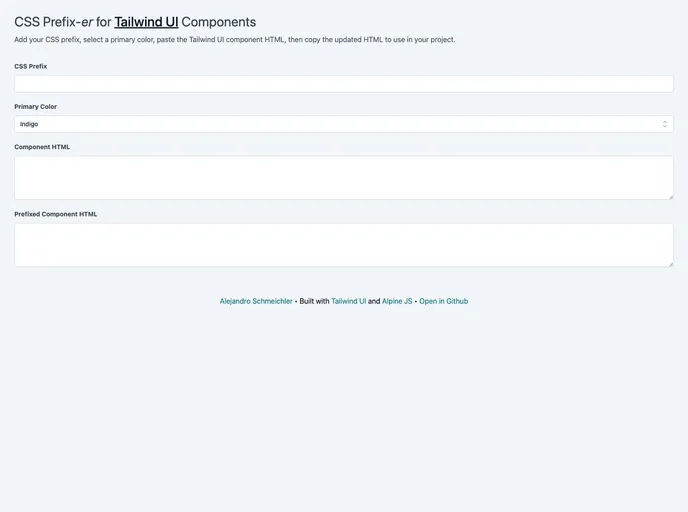
Tailwind UI Component CSS prefixer
The Tailwind UI Component CSS Prefix-er is a tool that allows users to easily add a CSS prefix and change the primary color of Tailwind UI components. This tool is designed to streamline the process of customizing Tailwind UI components by providing a simple and efficient way to add a CSS prefix and modify the primary color.
To use the Tailwind UI Component CSS Prefix-er, follow these steps:
Here is an example of how to add a CSS prefix using the Tailwind UI Component CSS Prefix-er:
<!-- Add the Tailwind UI Component CSS Prefix-er script -->
<script src="tailwind-prefixer.js"></script>

<!-- Customize the CSS prefix -->
<script>
    TailwindPrefixer.setPrefix('my-prefix');
</script>
And here is an example of how to change the primary color:
<!-- Add the Tailwind UI Component CSS Prefix-er script -->
<script src="tailwind-prefixer.js"></script>

<!-- Customize the primary color -->
<script>
    TailwindPrefixer.setPrimaryColor('#ff0000');
</script>
Make sure to include the correct file path to the CSS Prefix-er script and adjust the values of the CSS prefix and primary color according to your preferences.
The Tailwind UI Component CSS Prefix-er is a useful tool for customizing Tailwind UI components. It allows users to easily add a CSS prefix and modify the primary color, making the process of customization more streamlined and efficient. With its simple installation process and provided code snippets, users can quickly and effectively customize Tailwind UI components to match their desired design. Whether you want to add a branded CSS prefix or change the primary color to align with your website’s color scheme, the Tailwind UI Component CSS Prefix-er is a reliable choice.

