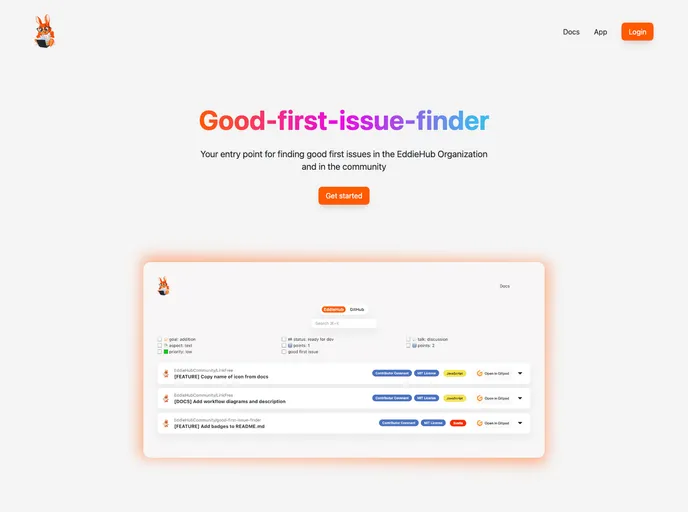
Good First Issue Finder screenshot

Good First Issue Finder

Updated: 3 Aug 2024
603 Stars

Issue-Crawler for GitHub based on Sveltekit

Categories

Product Analysis: Good First Issue Finder

Overview

Good First Issue Finder is a tool designed to help new open source contributors easily find and engage with “good first issues” in open source projects. It provides a website where users can search for beginner-friendly tasks and get started on their open source journey. The tool aims to make the onboarding process smoother for newcomers and encourage more people to contribute to the open source community.

Features

  • Good First Issue Finder: The tool provides a curated list of “good first issues” from various open source projects, making it easy for users to find beginner-friendly tasks.
  • Live Version: Users can check out the website to explore available first issues and get more information about the tool.
  • Prerequisites: Before installation, users need to ensure that they have Git and Node.js installed on their systems.
  • Installation Steps: The installation process involves forking and cloning the project, navigating to the project directory, installing dependencies with npm, and setting up GitHub Oauth values in a .env file.
  • Testing: The tool uses Playwright for running end-to-end tests, and users are provided with instructions for installing the necessary playwright dependencies.
  • Contributing: Contributions to the project are highly appreciated, and the tool aims to create a welcoming and inclusive environment for contributors.
  • License: Good First Issue Finder is licensed under the MIT License, ensuring that users have the freedom to use, modify, and distribute the tool.

Installation

To install Good First Issue Finder, follow the steps below:

  1. Fork the project here.
  2. Clone the project to your local machine.
  3. Navigate to the project directory using the command cd good-first-issue-finder.
  4. Install the project dependencies by running npm install.
  5. If you encounter an error related to an incompatible node version, you can upgrade your node version from here or by following the commands mentioned here. Note: It is recommended to install the current LTS version of node.
  6. Create a .env file in the root of the project and add your GitHub Oauth values. Refer to the example provided in the .env.example file. Note: You need to set up an Oauth App (not GitHub App) in GitHub to obtain the required values. See the documentation here. The Callback URL in the Oauth App settings should point to the endpoint of the baseURL where the app should run: http://localhost:5173/api/authentication/callback. Ensure that you never commit the .env file, as it is ignored by Git.
  7. Run the application in development mode using the command npm run dev. Note: Even if you are using Gitpod to run the app, you still need to follow the previous steps.

Summary

Good First Issue Finder is a helpful tool for new open source contributors, providing them with an easy way to find beginner-friendly tasks in open source projects. The installation process is straightforward, and the tool offers features such as a curated list of good first issues, a live version of the tool’s website, and guidelines for contributing. Overall, this tool contributes to a more inclusive and accessible open source community by simplifying the onboarding process for newcomers.
