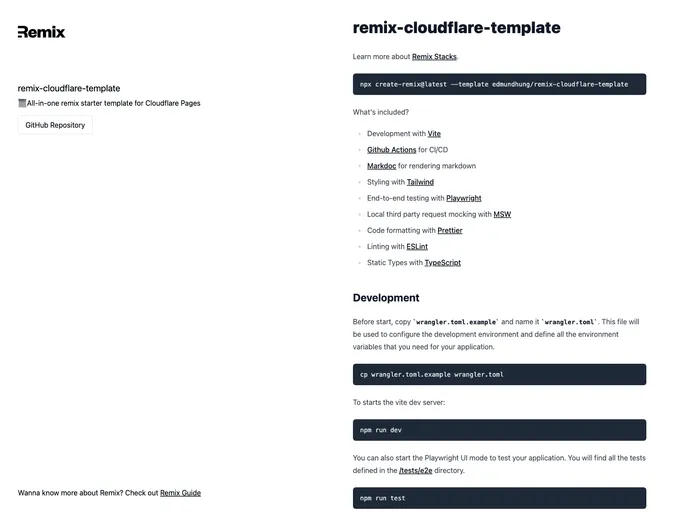
Remix Cloudflare Template screenshot

Remix Cloudflare Template

Author Avatar Theme by Edmundhung
Updated: 27 Sep 2024
325 Stars

[DO NOT USE / WORK IN PROGRESS] All-in-one remix starter template for Cloudflare Workers

Categories

Overview

The Remix Cloudflare template is a development template that includes several features such as Development with Vite, Github Actions for CI/CD, Markdoc for rendering markdown, Styling with Tailwind, End-to-end testing with Playwright, Local third party request mocking with MSW, Code formatting with Prettier, Linting with ESLint, and Static Types with TypeScript.

Features

  • Development with Vite: Utilize Vite dev server for development.
  • Github Actions for CI/CD: Set up continuous integration and continuous deployment with Github Actions.
  • Markdoc for rendering markdown: Utilize Markdoc for rendering markdown files effectively.
  • Styling with Tailwind: Easily style your application using Tailwind CSS.
  • End-to-end testing with Playwright: Perform end-to-end testing using Playwright.
  • Local third party request mocking with MSW: Mock third-party requests locally with MSW.
  • Code formatting with Prettier: Ensure consistent code formatting with Prettier.
  • Linting with ESLint: Enforce coding standards and best practices using ESLint.
  • Static Types with TypeScript: Benefit from static typing with TypeScript.

Installation

To install the theme, follow these steps:

  1. Copy wrangler.toml.example and rename it to wrangler.toml for configuring the development environment.
  2. Start the Vite dev server by running the command.
vite dev
  1. Start Playwright UI mode to test the application with tests in the /tests/e2e directory.
  2. For testing the application on the worker runtime, start the wrangler dev server by running:
wrangler dev
  1. Update the wrangler.toml file to add new environment variables as needed.

Summary

The Remix Cloudflare template provides a comprehensive development setup with features like Vite for development, Tailwind for styling, Playwright for testing, and more. By following the installation guide and utilizing the various features, developers can streamline their development process and ensure a smooth deployment process on the Cloudflare platform.
