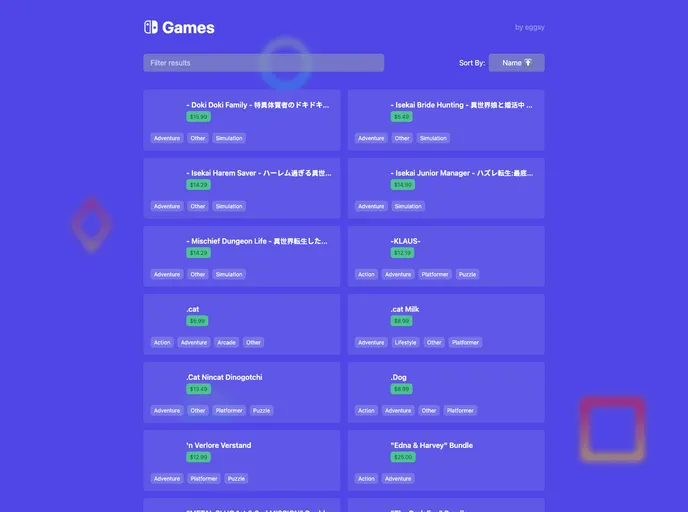
Nintendo Switch e-Shop template made with Next.js and Tailwind CSS.
The Next.js Nintendo Switch e-Shop is a basic website built with Next.js and Tailwind CSS. Its main purpose is to display Nintendo Switch games. Although it is not fully functional due to the lack of a usable API, the website showcases some interesting features such as filtering, ordering, and infinite scrolling. Whether you want to use it as a template for your own projects or simply explore the demo, this website offers a glimpse into the potential of Next.js and Tailwind CSS.
To install the Next.js Nintendo Switch e-Shop template, follow these steps:
git clone https://github.com/your-username/nextjs-nintendo-switch-eshop.git
cd nextjs-nintendo-switch-eshop
npm install
npm run dev
Open a web browser and go to http://localhost:3000.
The Next.js Nintendo Switch e-Shop template is a basic website built with Next.js and Tailwind CSS. Although not fully functional without an API, it showcases features such as filtering, ordering, and infinite scrolling. By following the installation guide, you can use this template for your own projects or simply explore the demo to get a sense of Next.js and Tailwind CSS capabilities.

