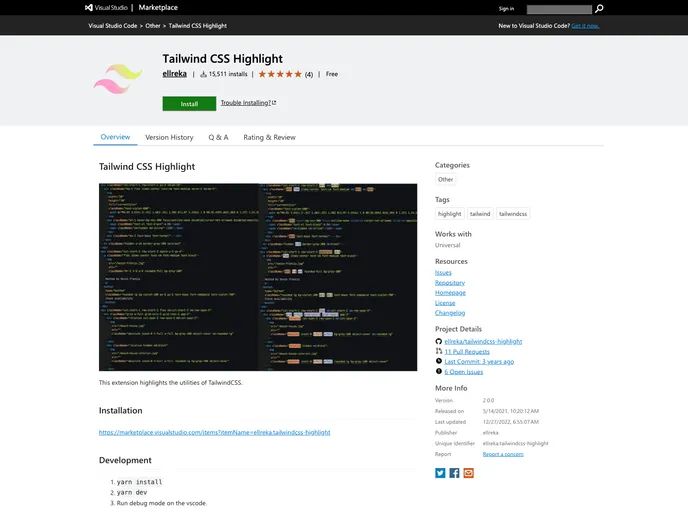
This extension highlights the utilities of TailwindCSS.
Overview
The Tailwind CSS Highlight extension for Visual Studio Code is an innovative tool that enhances the coding experience for developers using TailwindCSS. This extension simplifies the process of identifying and utilizing utility classes by providing a clear highlight, making it easier to visualize and apply these classes while working on projects.
With a variety of customizable features, this extension makes TailwindCSS more accessible and user-friendly, allowing developers to focus on their creative processes without getting lost in the details of utility class management. Whether you’re a seasoned developer or just starting with TailwindCSS, this tool can be an invaluable addition to your coding toolkit.
Features
- Customizable Language Support: TailwindCSS Highlight allows you to configure which languages to apply highlighting to, offering flexibility for multi-language projects.
- Utility Highlighting: It highlights the utilities in your code, making it visually easier to identify and apply the right classes.
- Regex Matching: You can use regex to customize how utility classes are matched, providing a tailored experience that fits your coding style.
- Color Customization: Choose the highlight color for your utilities, specifying styles via the decoration options for optimal visibility.
- Override Default Settings: Easily modify standard configurations to suit your preferences by overriding only the properties you wish to change.
- Custom Variants Configuration: Highlight variants like focus, hover, etc., and adjust their colors for better visual distinction during debugging and development.
- Simplified Installation: With a simple installation process using Yarn, getting started with Tailwind CSS Highlight is quick and hassle-free.