Overview
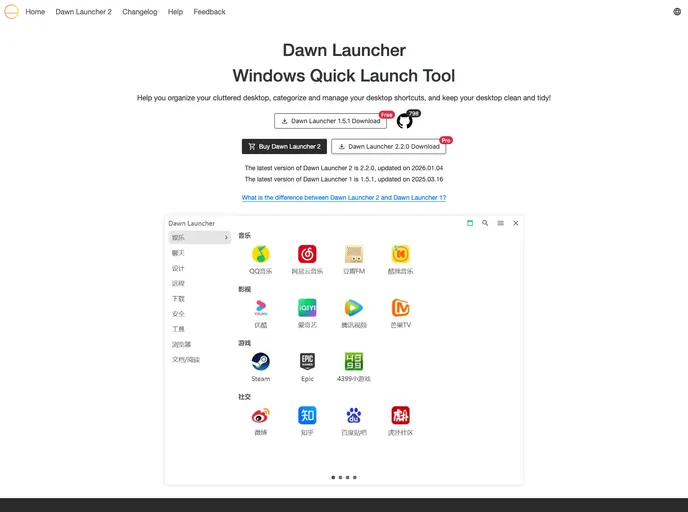
Dawn Launcher is an innovative desktop utility designed to streamline your workflow by organizing cluttered desktop shortcuts. It provides a user-friendly interface that allows you to categorize and manage your desktop items efficiently, keeping your workspace neat and tidy. Whether you have a plethora of applications or numerous files, Dawn Launcher aims to simplify access and enhance productivity on Windows 10 and 11.
This tool supports multiple features, including real-time folder synchronization, quick search capabilities, and customizable themes, making it an essential companion for anyone looking to optimize their desktop experience.
Features
- Real-time Folder Synchronization: Automatically syncs the contents of associated folders, ensuring that your shortcuts are always up-to-date with the latest files.
- Quick Search Functionality: Easily locate any application or file on your desktop with the built-in fast search feature, minimizing the time spent searching.
- Customizable Themes: Personalize your workspace with custom themes and backgrounds, allowing you to create a desktop environment that matches your style.
- Relative Paths Support: Provides support for portable paths, making it easier to manage and relocate applications without losing shortcuts.
- Website Integration: Allows users to add URLs and effortlessly fetch website information with just one click, enhancing your browsing experience.
- Comprehensive App Scanning: Scans the local start menu and the Appx application list for easy access to installed applications.
- User-Friendly Interface: Designed for ease of use, ensuring that both seasoned tech users and novices can navigate and utilize its features without hassle.
- Cross-Platform Technology: Built using modern technologies like Electron, Vite, Vue3, TypeScript, and Rust, ensuring a robust and responsive application performance.