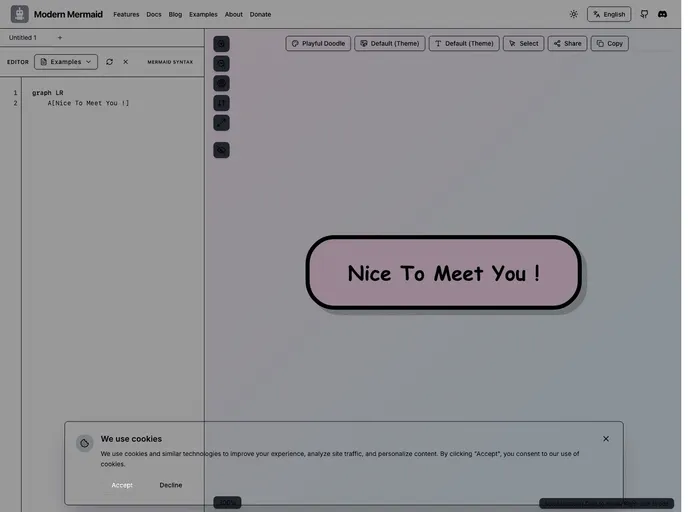
A modern, beautiful Mermaid.js editor with live preview, multiple themes, and high-quality export. Perfect for developers, designers, and product managers.
The Modern Mermaid Banner is a powerful and intuitive diagram editor that leverages the capabilities of Mermaid.js to provide users with a seamless experience in creating stunning diagrams. With its range of professional themes, high-quality export options, and interactive features, this tool stands out as a versatile solution for both casual users and professionals seeking to visualize complex data. From flowcharts to Gantt charts, the possibilities are endless, making it an ideal choice for anyone involved in project management, software development, or design.
Whether you’re a seasoned coder or a novice, the user-friendly interface and robust functionality of Modern Mermaid make it easy to capture your thoughts and ideas in a visually appealing format. The integration of real-time rendering and syntax highlighting allows for efficient editing, ensuring that your diagrams come to life in an instant.
10+ Professional Themes: Choose from a variety of beautiful themes including Linear Light/Dark, Industrial, and Studio Ghibli, with customizable backgrounds and font selection for a personalized touch.
Real-time Syntax Highlighting: The powerful editor supports real-time Mermaid syntax highlighting with color-coded keywords, enhancing readability and reducing errors.
High-Quality Export Options: Export your diagrams in PNG or JPG formats, with the ability to copy to the clipboard or set custom resolutions for superior quality.
Interactive Live Preview: Experience real-time rendering as you type, with auto-scaling diagrams that fit your viewport for a seamless creative process.
Annotation Tools: Utilize drawing tools such as arrows, rectangles, and text annotations, accompanied by customizable colors to emphasize key diagram elements.
Batch Exporting: Easily export multiple diagrams at once, saving time and effort when dealing with larger projects.
Multi-language Support: The interface is available in six languages, making it accessible to a diverse set of users across the globe.
Smooth Zoom & Pan Controls: Enjoy intuitive zooming and panning features that help you navigate through complex diagrams with ease.

