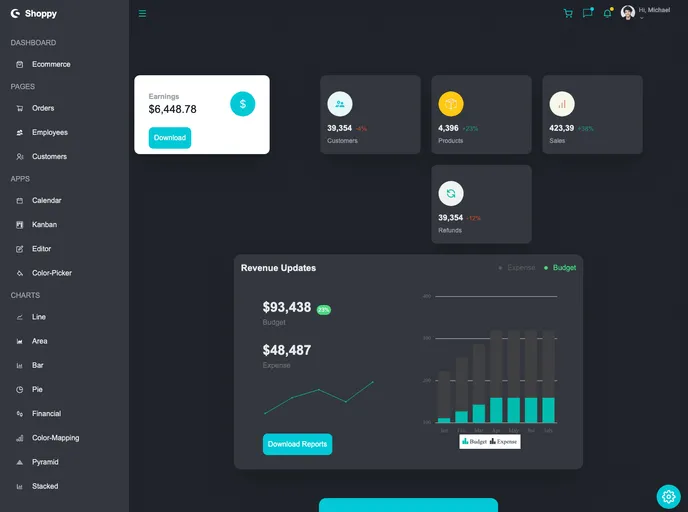
Fully responsive react admin dashboard with light and dark both theme
React Admin Dashboard is a web application built with React, Tailwind CSS, and advanced JavaScript concepts. It offers a visually pleasing and intuitive user interface for managing and tracking data. React’s powerful library allows for efficient and dynamic user interface development, while Tailwind CSS provides pre-defined classes for easy styling. With a combination of these technologies, React Admin Dashboard delivers a highly responsive and engaging user experience.
To get started with React Admin Dashboard, follow these steps:
Make sure you have Node.js and npm (Node Package Manager) installed on your computer.
Clone the repository to your local machine.
Navigate to the project directory using the command line interface.
Install the necessary dependencies by running the command:
npm install
Start the development server by running the command:
npm start
The website should now be up and running on http://localhost:3000.
React Admin Dashboard is a feature-rich web application built with React, Tailwind CSS, and advanced JavaScript concepts. It offers a visually pleasing user interface, with features such as light and dark mode, customizable theme colors, and responsive design. The dashboard includes beautiful graphs and charts created using the Syncfusion library. With easy installation steps, users can quickly set up and start using React Admin Dashboard for efficient data management and tracking.

