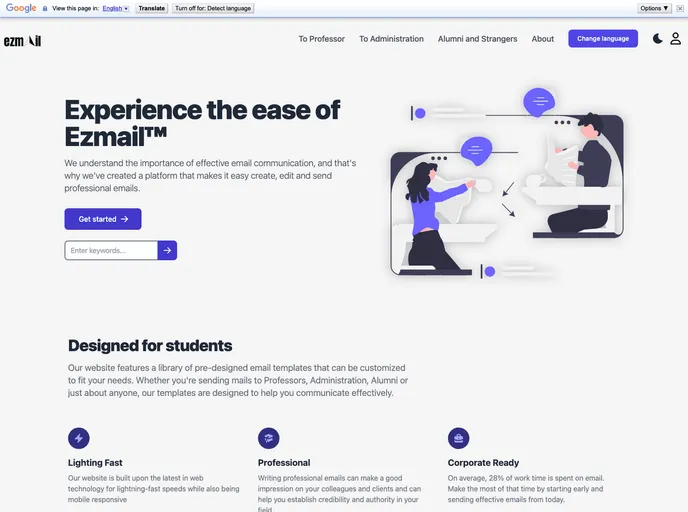
An open-source user-friendly Web application with 50+ pre-designed easily customisable email templates for effective communication
Product Analysis: Ezmail
Overview
We are excited to introduce our new email template website, designed to promote effective and efficient communication among college students. Our website offers a wide range of templates for various scenarios, such as requesting information from professors, scheduling meetings, and networking with professionals. We would love for you to check out our website and provide feedback and suggestions to help us improve our service. This repository contains the code used to create our website - “Ezmail”.
Features
- Wide range of email templates for various scenarios
- Easy customization of template content
- User-friendly interface
- Quick and efficient communication
- Templates for requesting information from professors
- Templates for scheduling meetings
- Templates for networking with professionals
Installation
To contribute to the project, follow these steps:
- Fork this repository.
- Clone your forked copy of the project.
- Navigate to the project directory.
- Add a reference (remote) to the original repository.
- Check the remotes for this repository.
- Always take a pull from the upstream repository to keep your branch up to date.
- Create a new branch for your changes.
- Make the desired changes to the code base on your branch.
- Track your changes.
- Commit your changes.
- Push the committed changes to your remote repository.
- Create a pull request by comparing your branch to the desired branch of the main repository.
- Add an appropriate title and description to your pull request explaining your changes.
- Click on Create Pull Request.
- Wait for your pull request to be reviewed.
To add a new template, follow these steps:
- Navigate to the relevant section in the /src directory.
- Open the data.js file.
- Modify the javascript object by adding the necessary information for the new template.
- Ensure proper formatting and check the working of the changes by running the project locally.
- Create a pull request to submit the new template.
To run the project, follow these steps:
- Ensure you have the VS Code editor installed.
- Clone the repository.
- Open all files in VS Code.
- Install the dependencies.
- Start the development server.
Summary
Ezmail is a new email template website aimed at facilitating effective communication among college students. It offers a wide range of customizable templates for various scenarios and is designed to be user-friendly and efficient. With Ezmail, college students can easily reach out to professors, schedule meetings, and network with professionals. The project is open for contributions, and the installation guide provides a step-by-step process for contributing to the development and adding new templates.