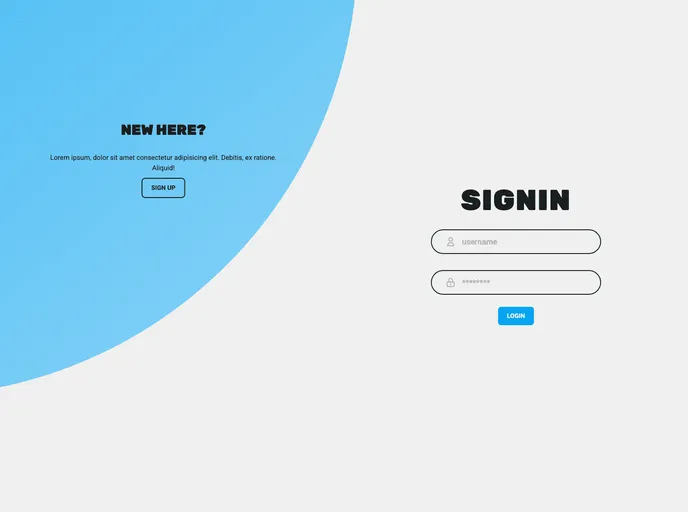
Overview
The Vue3 Authentication Boilerplate is a simple implementation of a JWT authentication flow. It uses Vue3, Vuex4, Typescript, Tailwindcss, and the atomic design pattern. This project serves as a boilerplate that can be used for any project you wish to build.
Features
- JWT Authentication Flow: Provides a secure authentication flow using JSON Web Tokens.
- Vue3: Uses the latest version of Vue.js for building user interfaces.
- Vuex4: Implements Vuex, a state management pattern and library for Vue.js applications.
- Typescript: Utilizes Typescript for static typing and improved tooling in the project.
- Tailwindcss: Uses Tailwindcss, a utility-first CSS framework, for styling and design.
- Atomic Design Pattern: Adheres to the atomic design pattern, which promotes the creation of reusable, modular components.
Installation
To install the Vue3 Authentication Boilerplate, follow these steps:
- Ensure that you have Node.js installed on your machine.
- Clone the project repository to your local machine.
- Install the project’s dependencies by running the following command:
npm install - After the dependencies are installed, you can launch the project using the command:
npm run serve - To build the project for production, use the command:
npm run build - The built project files will be stored in the
./dist folder. - You can also run unit tests by using the command:
npm run test - If needed, you can lint and fix project files using the command:
npm run lint
Summary
The Vue3 Authentication Boilerplate provides an easy-to-use starting point for projects that require JWT authentication. With its integration of Vue3, Vuex4, Typescript, Tailwindcss, and the atomic design pattern, developers can quickly set up a secure authentication flow while benefiting from the latest web technologies and best practices.