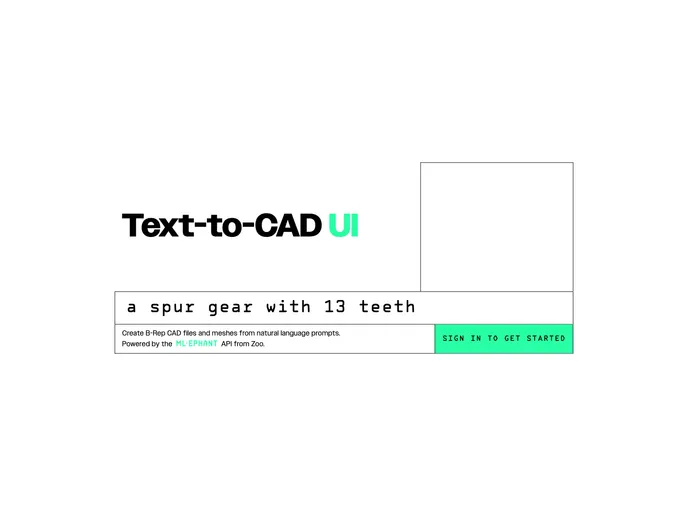
A lightweight UI for interacting with the Zoo Text-to-CAD API.
Overview
Zoo Text-to-CAD UI is an open-source project that provides an example of how to implement Zoo’s Text-to-CAD API endpoints. It is built using SvelteKit, a framework for building web applications. This repository serves as a guide for quickly setting up and running the Text-to-CAD functionality.
Features
- Integration with Text-to-CAD API: The project demonstrates the integration of Zoo’s Text-to-CAD API endpoints, allowing users to convert text into CAD (Computer-Aided Design) format.
- Built with SvelteKit: The UI is implemented using SvelteKit, a modern framework for building fast and efficient web applications.
- Development Server: The project includes instructions on how to start a development server for local testing and debugging.
- Production Build: Instructions are provided to create a production version of the application, ensuring optimal performance.
- Preview Production Build: Users can preview the production build using the provided command, allowing them to see the application as it would appear when deployed.
- Playwright E2E Testing: The repository includes instructions on running Playwright end-to-end (E2E) tests locally to ensure the stability and functionality of the project.
Installation
To install the Zoo Text-to-CAD UI project, follow these steps:
- Ensure that you have yarn installed on your system.
- Clone the repository to your local machine.
- Open a terminal and navigate to the project directory.
- Run the following command to install the project dependencies:
Summary
The Zoo Text-to-CAD UI project is a valuable resource for developers looking to integrate Zoo’s Text-to-CAD API endpoints into their applications. By leveraging SvelteKit, the project provides a modern and efficient user interface. The clear installation guide and instructions for local development and testing make it easy for developers to get started quickly and effectively. With the addition of Playwright E2E testing, developers can ensure the stability and reliability of their implementation. Overall, the Zoo Text-to-CAD UI project serves as a comprehensive example and guide for utilizing Zoo’s Text-to-CAD API.