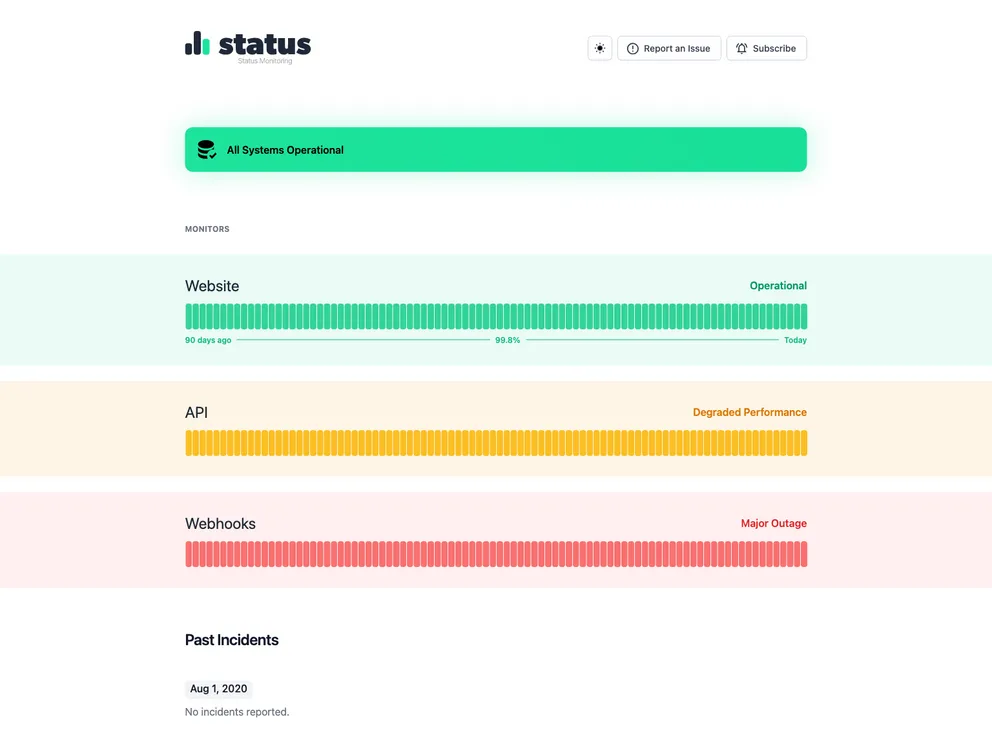
Free Status Page Template built with Tailwind CSS
The Tailwind CSS Status Page Template is a free template designed specifically for creating status pages using the Tailwind CSS framework. This template provides a simple and efficient way to communicate service disruptions or downtime to users.
To install the Tailwind CSS Status Page Template, follow these steps:
Here is an example of how to include the necessary CSS and JavaScript files in your HTML:
<link rel="stylesheet" href="path/to/tailwind.css">
<script src="path/to/tailwind.js"></script>
Ensure that the paths are correctly set to the location of the downloaded template files.
The Tailwind CSS Status Page Template is a valuable resource for developers looking to create a user-friendly and visually appealing status page. With its responsive design, customizable components, and easy integration process, this template simplifies the task of communicating service disruptions effectively. By following the installation guide and customizing the template to your needs, you can quickly set up a status page that provides essential information to your users during downtime.

