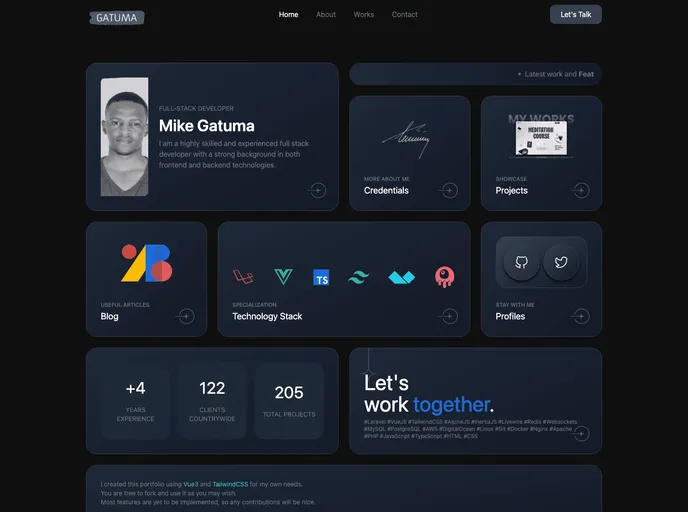
This is a grid style dark themed portfolio especially designed with devs in mind. It is based on Vue3 and TailwindCSS. Feel free to contribute and fork.
Overview
The Vue Tailwindcss Portfolio Template is a dark-themed portfolio designed specifically for developers. Built with Vue3 and TailwindCSS, this template offers a grid-style layout that showcases projects and skills. It is open for contributions and can be easily forked.
Features
- Grid style layout for portfolio projects
- Dark theme for a sleek and modern look
- Developed with Vue3 and TailwindCSS for ease of use and customization
Installation
To install the Vue Tailwindcss Portfolio Template, follow these steps:
- Install the recommended IDE setup: VSCode + Volar (disable Vetur) + TypeScript Vue Plugin (Volar).
- Enable type support for .vue imports in TypeScript by replacing the tsc CLI with vue-tsc for type checking.
- Install the TypeScript Vue Plugin (Volar) for editors to make the TypeScript language service aware of .vue types.
- If the standalone TypeScript plugin is not fast enough, enable the Take Over Mode in Volar for better performance. This can be done by disabling the built-in TypeScript Extension, finding TypeScript and JavaScript Language Features in the VSCode’s built-in extensions, and disabling it for the workspace.
- Reload the VSCode window by running Developer: Reload Window from the command palette.
Summary
The Vue Tailwindcss Portfolio Template is a modern and stylish portfolio option for developers. With its grid-style layout, dark theme, and compatibility with Vue3 and TailwindCSS, it provides a visually appealing and customizable solution for showcasing projects and skills. The installation process is straightforward, and the template can be easily modified to suit individual preferences.