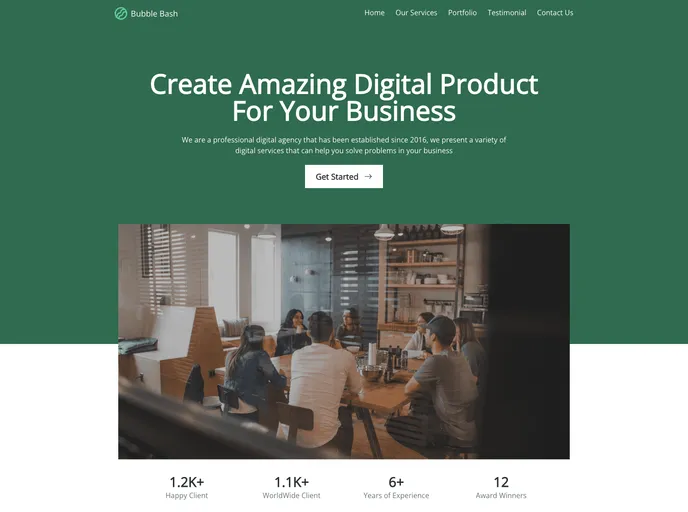
Bubblebash Profile screenshot

Bubblebash Profile

Author Avatar Theme by Mirzamaulana
Updated: 26 Mar 2023
5 Stars

Saya membuat landing page menggunakan react js dan tailwind css, kedepannya akan saya buat responsive

Categories

Overview:

The Create React App is a tool that bootstraps a React project, providing a set of preconfigured files and scripts to help developers get started quickly. It bundles React in production mode and optimizes the build for better performance. The tool also offers features like code splitting, bundle size analysis, creating progressive web apps, advanced configuration, and deployment options.

Features:

  • Easy setup: The Create React App comes with everything needed to start a React project without the need for complex configuration or setup.
  • Development and testing: It provides a development server that reloads the page automatically when changes are made. It also includes a built-in test runner for running tests in an interactive watch mode.
  • Build for production: The tool optimizes the build for production by minifying the code and generating hashed filenames for better caching.
  • Customization options: While the curated feature set is suitable for small and middle deployments, developers have the option to eject from the default configuration to have full control over the project’s build tools and dependencies.

Installation:

To install the Create React App, follow these steps:

  1. Open your terminal and navigate to the desired directory where you want to create your React app.
  2. Run the following command to create a new React app:
    npx create-react-app my-app
    
    This will create a new directory called my-app and initialize a new React project inside it.
  3. Once the installation is complete, navigate into the project directory:
    cd my-app
    
  4. You can now start the development server by running the following command:
    npm start
    
    This will open your app in the browser at http://localhost:3000. Any changes you make to the code will be automatically reflected in the browser.

Summary:

The Create React App is a powerful tool that simplifies the process of setting up and bootstrapping a React project. With its easy installation, development server, testing capabilities, and build optimization, it provides a convenient and efficient development experience for React developers. Additionally, the tool offers customization options for those who require more control over their project’s configuration.
