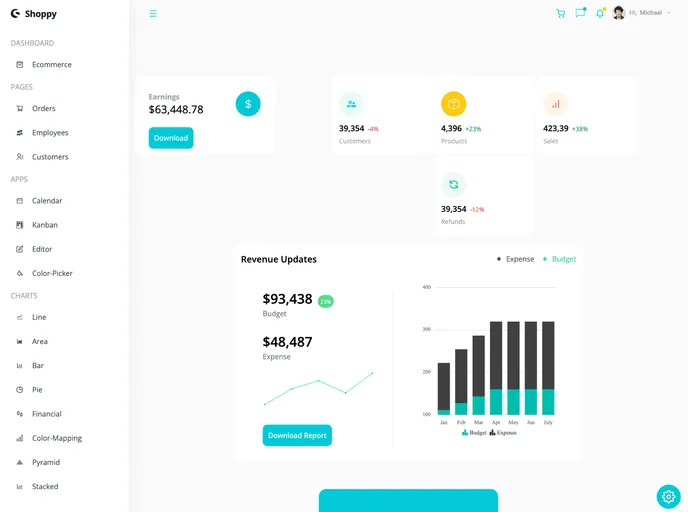
React Admin Dashboard is a stunning web application that has a beautiful user interface and has been built using advanced JavaScript concepts, React, and Tailwind CSS.
The React Admin Dashboard is a web application built using advanced JavaScript concepts, React, and Tailwind CSS. It provides a comprehensive and intuitive user experience for managing and tracking data. The combination of React’s powerful UI building capabilities and Tailwind CSS’s pre-defined classes allows for easy styling and customization. With features like light and dark mode, theme color options, and beautiful graphs, the dashboard offers a visually pleasing and responsive interface.
To install and run the React Admin Dashboard on your local machine, follow these steps:
npm install in your terminal.npm start in your terminal.The React Admin Dashboard is a feature-rich web application built using React, Tailwind CSS, and Syncfusion. It offers a comprehensive and intuitive user experience for managing and tracking data. With its responsive design, light and dark mode options, and beautiful UI, the dashboard provides a visually pleasing and engaging interface. To install and run the dashboard on your local machine, follow the provided installation guide.

