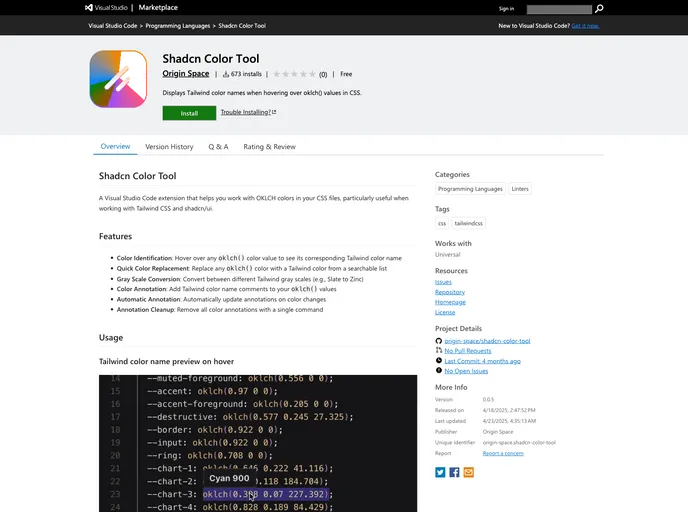
A Visual Studio Code extension that helps you work with OKLCH colors in your CSS files, particularly useful when working with Tailwind CSS and shadcn/ui.
The Shadcn Color Tool is a powerful Visual Studio Code extension specifically designed for working with OKLCH colors within your CSS files. Ideal for developers utilizing Tailwind CSS and shadcn/ui, this tool streamlines the process of color management by providing an intuitive interface and helpful features that enhance your workflow. Whether you’re annotating colors or converting between color scales, this extension simplifies the task at hand and boosts your overall productivity.
With the Shadcn Color Tool, you can expect an efficient way to navigate and manage color palettes. The functionalities cater to both simple tasks like color identification and more complex operations like bulk conversions, making it a valuable addition to any web developer’s toolkit.
Color Identification: Easily identify the Tailwind color name corresponding to any oklch() color value by simply hovering over it in your CSS files.
Quick Color Replacement: Replace oklch() colors with Tailwind colors from a searchable list, streamlining your coding process with just a few clicks.
Gray Scale Conversion: Effortlessly convert between different Tailwind gray scales (e.g., from Slate to Zinc) with a simple command.
Color Annotation: Enhance your code with color name comments by using the annotation feature, which links your OKLCH colors directly to Tailwind names.
Automatic Annotation: Keep your annotations up to date automatically as you change colors, ensuring that your color references are always accurate.
Annotation Cleanup: Quickly remove all color annotations in one command, helping to maintain a clean and organized codebase.
User-Friendly Commands: Access various features easily through the Command Palette, allowing you to perform tasks quickly and efficiently.
Inline Color Swatches: Upcoming enhancement that will introduce color swatches directly in the code for better visual feedback on color selections.

