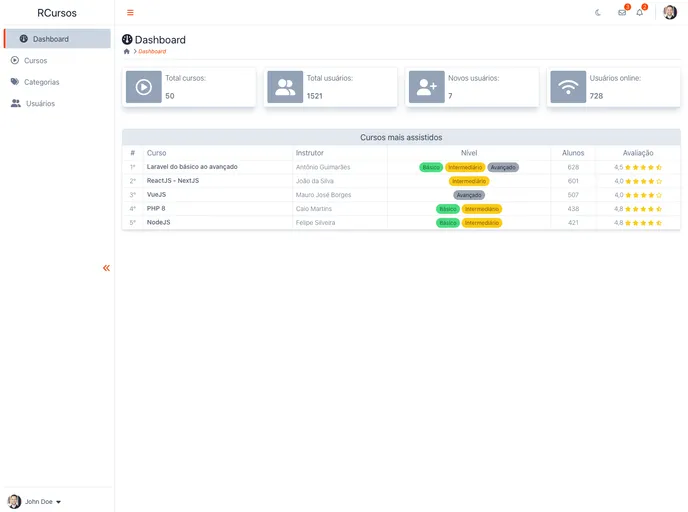
Admin Dashboard template with tailwind CSS
The Dashboard Template with Tailwind CSS is an admin template that was created to demonstrate the use of Tailwindcss and AlpineJS. It is designed to be responsive and also offers support for dark mode. The project makes use of several tools and packages including Tailwind, AlpineJS, Vite, TippyJS, JS-Cookie, and Fontawesome icons.
To install and run the Dashboard Template with Tailwind CSS, follow these steps:
Make sure you have Git, Node.js, and VSCode (or another preferred code editor) installed on your machine.
Clone or download the project repository from [repository URL].
Open a terminal and navigate to the project directory.
Install the project dependencies by running the following command:
npm install
or
yarn install
npm run dev
or
yarn dev
http://localhost:3000 to access the admin dashboard.The Dashboard Template with Tailwind CSS is a responsive admin template that showcases the use of Tailwindcss and AlpineJS. It offers dark mode support and utilizes various tools and packages to enhance its functionality. By following the installation guide, users can easily set up and run the template on their local machines, making it a convenient option for building admin interfaces.

